
dotnet cli 5.0 新特性——dotnet tool search
Intro
.NET 5.0 SDK 的发布,给 dotnet cli 引入了一个新的特性,dotnet tool search,主要用于搜索 Nuget 上的 dotnet tool,这个命令会搜索 tool 的名称以及一些元数据, titles, descriptions, 和 tags
Search
Synopsis
dotnet tool search [–detail] [–prerelease]
[–skip ] [–take ]dotnet tool search -h|–help
可以通过 dotnet tool search -h 查看支持的参数,支持的参数如下:
--detail显示详细结果
--prerelease是否包含预览版
--skip <NUMBER>跳过前面多少条数据,用于分页
--take <NUMBER>指定要返回的数据条数,用于分页查询
Examples
来看几个简单的示例:
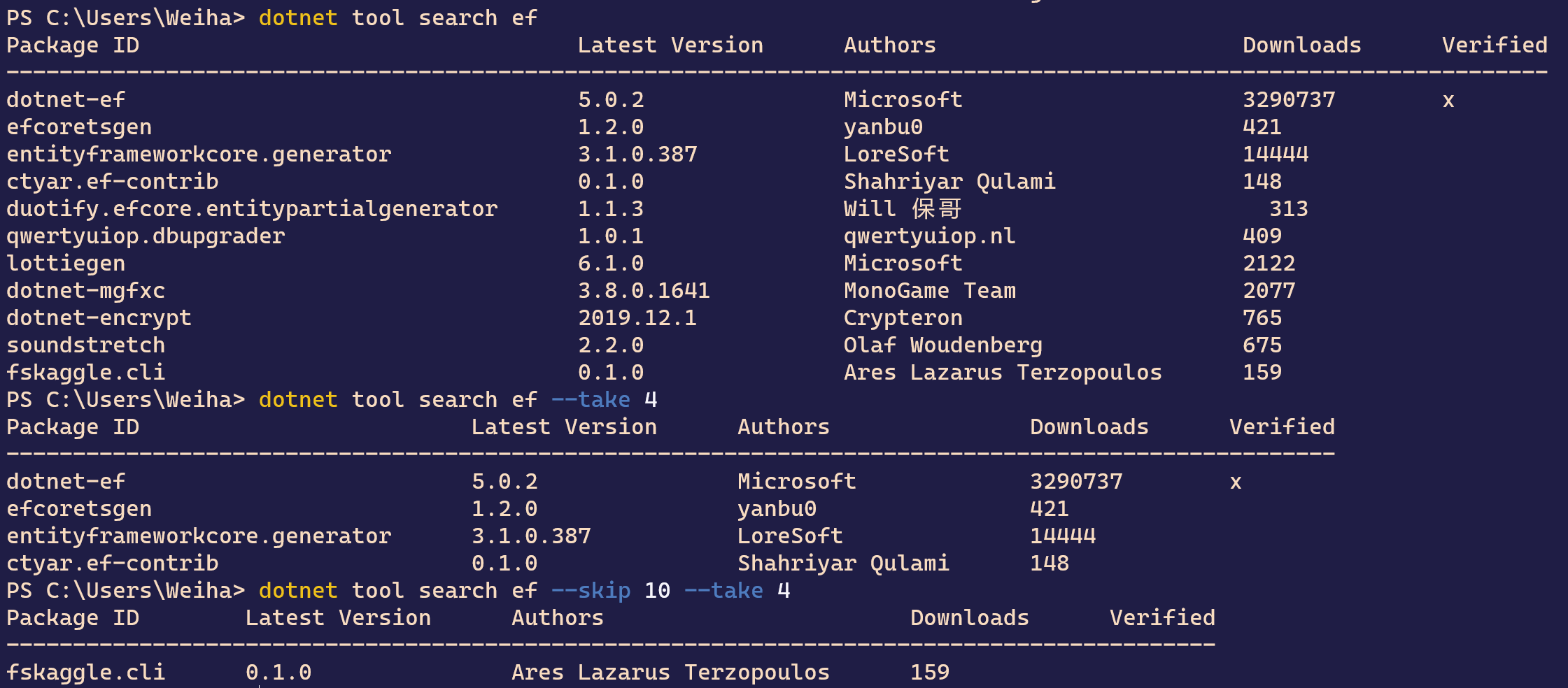
使用 dotnet tool search <keyword> 进行最基本的搜索,
使用 dotnet tool search <keyword> --skip <skip> --take <take> 来进行分页查询
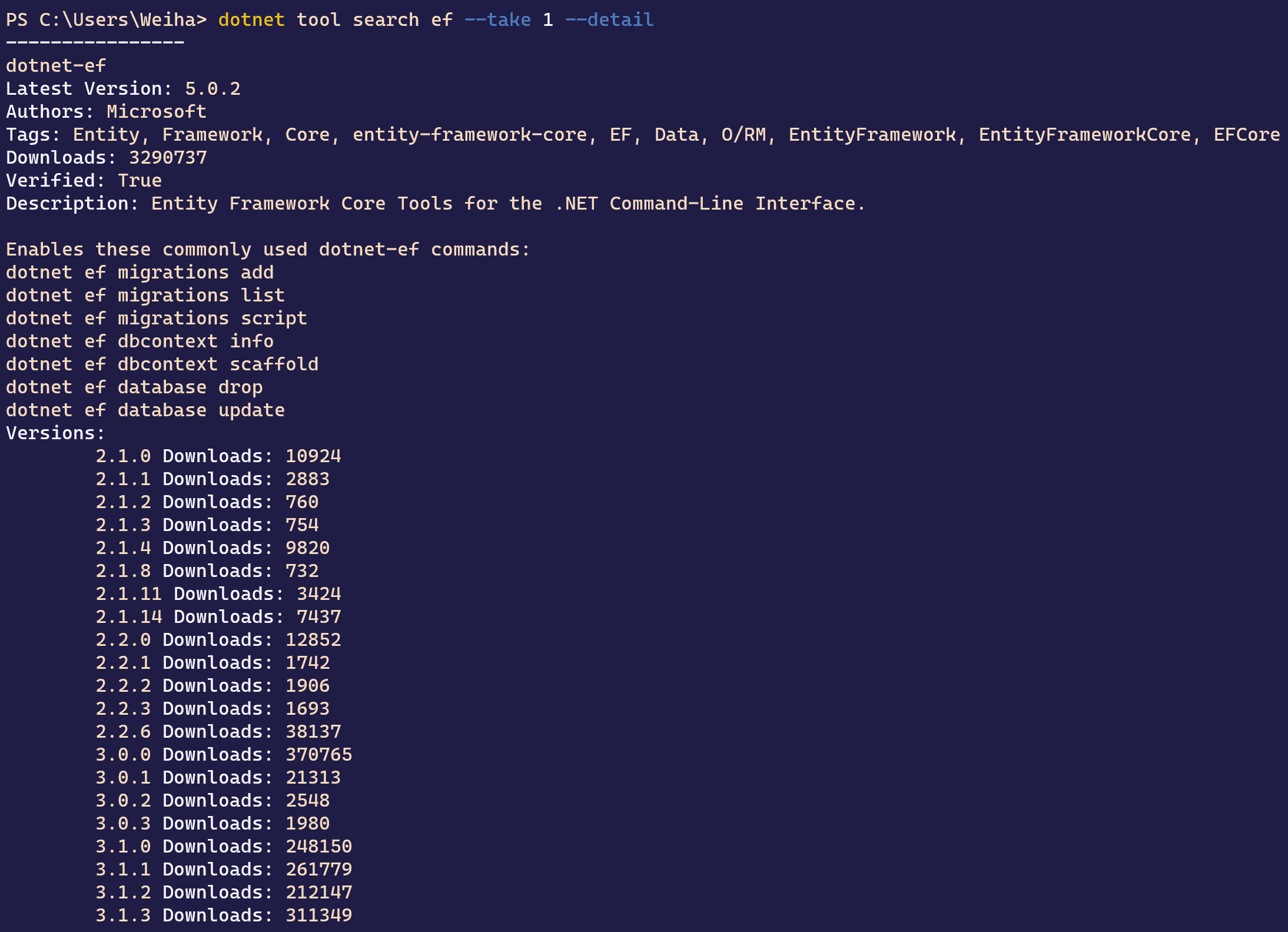
使用 dotnet tool search <keyword> --take 1 --detail 查询详细信息
More
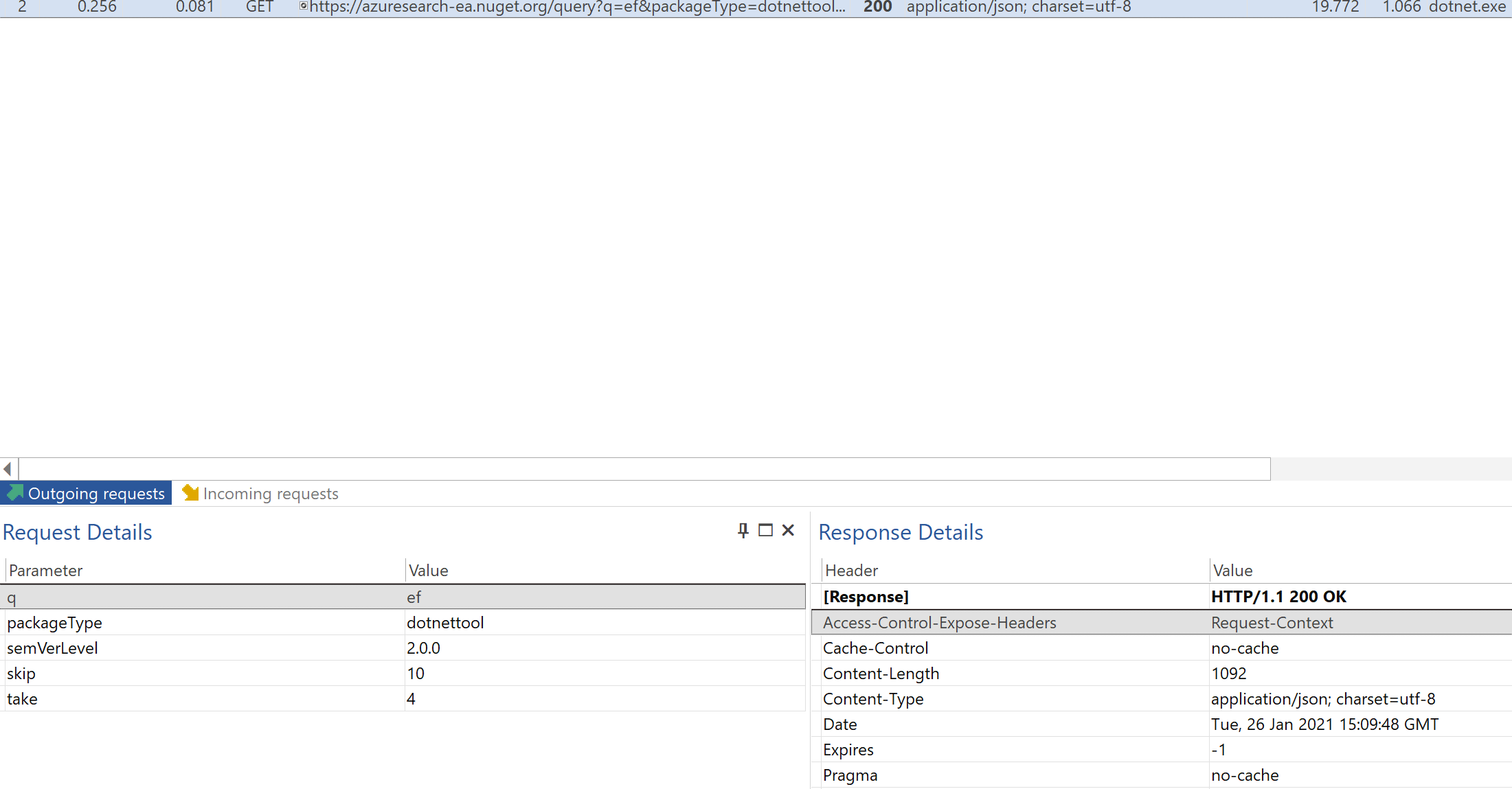
这个功能从 .NET 5.0 SDK 之后才支持,它的实现方式倒是很简单,直接调用了 Nuget 的接口,通过 packageType=dotnettool 只查询 dotnet tool
用抓包工具抓个包看看,search 的时候做了什么,search 的时候会调用 nuget 的接口,接口调用情况如下:
有了这个我们即使不完全记得 dotnet tool 的名称,我们也可以通过命令进行查询,方便了很多
References
- https://docs.microsoft.com/en-us/dotnet/core/tools/dotnet-tool-search